
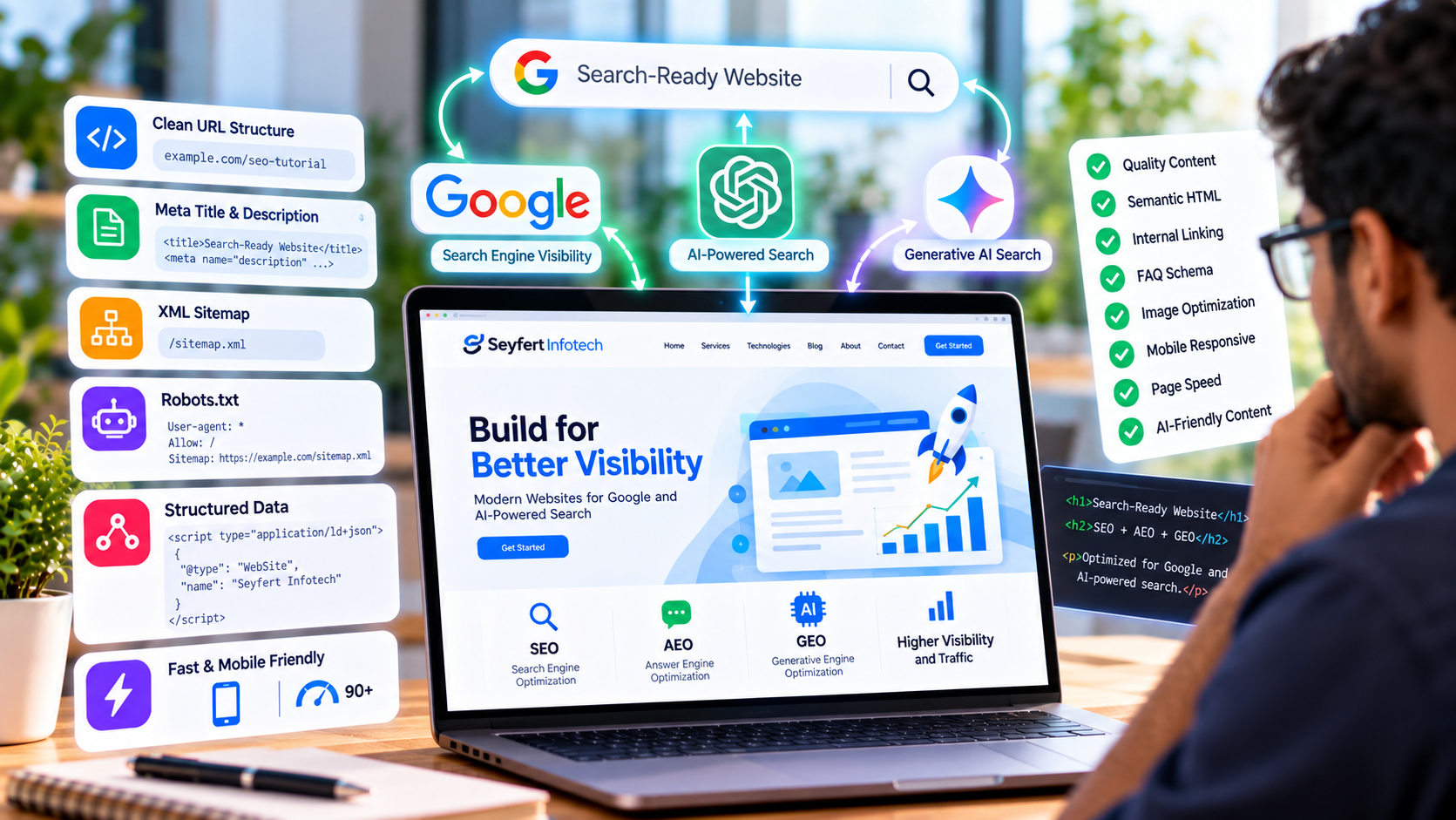
“Building a website is no longer only about creating attractive pages and functional features. A modern website should also be easy for search engines and AI-powered search systems to understand. Google continues to use crawling, indexing, structured information, page quality, relevance, and user experience when processing websites. At the same time, users increasingly discover information through AI-powered search experiences that generate direct answers from information available across the web. For developers, this means search optimization should be considered during website development rather than added only after the website is completed. A search-ready website should make it easy for search systems to answer three basic questions: What is this website about? What information does each page provide? Who is this information intended for? This tutorial explains the technical steps developers can follow to build a website that is better prepared for Google Search and AI-powered search experiences.”
Introduction
Building a website is no longer only about creating attractive pages and functional features. A modern website should also be easy for search engines and AI-powered search systems to understand. Google continues to use crawling, indexing, structured information, page quality, relevance, and user experience when processing websites. At the same time, users increasingly discover information through AI-powered search experiences that generate direct answers from information available across the web. For developers, this means search optimization should be considered during website development rather than added only after the website is completed. A search-ready website should make it easy for search systems to answer three basic questions: What is this website about? What information does each page provide? Who is this information intended for? This tutorial explains the technical steps developers can follow to build a website that is better prepared for Google Search and AI-powered search experiences.
What Is a Search-Ready Website?
A search-ready website is a website whose technical structure and content make it easier for search engines and AI systems to discover, crawl, interpret, and understand its information. A search-ready website should have: Clear website architecture Search-friendly URLs Proper HTML structure Unique page titles Useful meta descriptions Descriptive headings Internal links Structured data Mobile-friendly design Fast loading performance Accessible content Crawlable pages High-quality and useful information SEO focuses heavily on helping search engines discover and rank relevant pages. AEO focuses on making information easy to understand and use for direct-answer experiences. GEO focuses on improving the way content can be understood and surfaced by generative AI search systems. These concepts overlap, so developers can address many of them through good technical architecture and high-quality content.
Step 1: Create a Clear Website Structure The first step is to create a logical website structure. A search engine should be able to understand how the pages of a website are related. For example, a business website could use a structure such as: Home ├── About ├── Services │ ├── Web Development │ ├── Mobile App Development │ └── Custom Software Development ├── Industries ├── Blog └── Contact This structure makes it easier for both users and search systems to understand the website. Developers should avoid creating unnecessary layers of URLs and complicated navigation structures. A simple and logical hierarchy is generally easier to maintain and crawl. Step 2: Create SEO-Friendly URLs URLs should clearly describe the page. For example: /example.com/web-development is easier to understand than: /example.com/page?id=2847 For blog content, a descriptive URL could look like: /example.com/blog/build-search-ready-website Good URLs should generally be: Descriptive Short Readable Relevant to the page Consistent Avoid unnecessarily long URLs, random parameters, or URLs that provide no indication of the page's subject. Step 3: Add Unique Page Titles The HTML <title> element helps communicate what a page is about. For example: <title>Custom Web Development Services | Seyfert Infotech</title> Every important page should have a meaningful and unique title. Avoid using the same title across multiple pages because it makes it more difficult to distinguish the purpose of individual pages. The title should describe the actual content of the page rather than simply repeating a list of keywords. Step 4: Write Useful Meta Descriptions A meta description can provide a concise summary of a page. For example: <meta name="description" content="Seyfert Infotech develops custom web applications designed around business requirements, performance, security, and scalability." > Meta descriptions should accurately represent the page. Developers should avoid generating identical descriptions for every page. For dynamic websites, meta titles and descriptions can be generated from database content. For example, a blog system could store: title slug short_description meta_title meta_description The application can then generate the appropriate metadata for each blog page. Step 5: Use Semantic HTML Semantic HTML helps communicate the purpose and structure of content. Instead of building an entire page using generic <div> elements, developers can use meaningful elements such as: <header> <nav> <main> <section> <article> <aside> <footer> Headings should also follow a logical hierarchy. For example: <h1>How to Build a Search-Ready Website</h1> <h2>Create an SEO-Friendly Website Structure</h2> <h3>Build Clear Navigation</h3> <h2>Implement Structured Data</h2> A page should normally have one clear primary <h1> representing the main topic. Semantic structure helps users, accessibility technologies, and automated systems better understand the content. Step 6: Create Useful, Answer-Focused Content Technical optimization alone does not make a website search-ready. The content itself needs to provide useful answers. Instead of writing content only around keywords, developers and content teams should understand what users actually want to know. For example, instead of creating a generic page titled: Web Development a more useful page might explain: What web development involves What types of applications can be developed Which technologies are used How development works What businesses can achieve Common development challenges Frequently asked questions This approach supports both traditional search and answer-focused search experiences. Step 7: Structure Content Around Questions Question-based content can be particularly useful for AEO. Users frequently search using questions such as: How does custom software development work? How much does web development cost? What technology should a business use? How can a website improve business operations? A website can address these questions directly. For example: <h2>How Does Custom Web Development Work?</h2> <p> Custom web development begins by understanding business requirements, planning the application structure, developing the required features, testing the application, and deploying it to production. </p> The answer should be clear and directly related to the question. Longer explanations can follow when additional detail is useful. Step 8: Implement Structured Data Structured data provides additional machine-readable information about a webpage. Developers can use Schema.org vocabulary through JSON-LD. For example: <script type="application/ld+json"> { "@context": "https://schema.org", "@type": "Article", "headline": "How to Build a Search-Ready Website for Google and AI-Powered Search", "author": { "@type": "Organization", "name": "Seyfert Infotech" } } </script> Depending on the page, structured data can describe information such as: Articles Organizations Products Services Events Breadcrumbs FAQs Local businesses Structured data should accurately represent visible and relevant information on the page. It should not be used to provide misleading information to search systems. Step 9: Implement Breadcrumb Navigation Breadcrumbs help users understand where they are within a website. For example: Home → Tutorials → SEO Tutorials → Search-Ready Website Developers can also implement breadcrumb structured data to provide machine-readable information about the page hierarchy. Breadcrumbs are particularly useful for websites with many categories and nested pages. Step 10: Create and Submit an XML Sitemap An XML sitemap provides a list of URLs that a website wants search engines to discover. A simple sitemap may contain URLs such as: <url> <loc>https://example.com/</loc> </url> <url> <loc>https://example.com/services</loc> </url> <url> <loc>https://example.com/blog</loc> </url> For dynamic websites, the sitemap can be generated automatically from the database. For example, when a new blog is published, its URL can automatically be included in the sitemap. The sitemap should then be submitted through the relevant search engine webmaster tools. Step 11: Configure Robots.txt Correctly The robots.txt file provides crawling instructions for automated crawlers. A basic example is: User-agent: * Disallow: Sitemap: https://example.com/sitemap.xml Developers should be careful when modifying this file. Incorrect Disallow rules can prevent search engines from accessing important pages. For example, accidentally blocking an entire website could prevent important pages from being crawled. Robots.txt should therefore be reviewed carefully before deployment. Step 12: Build Strong Internal Linking Internal links connect related pages within the same website. For example: Homepage ↓ Web Development ↓ Custom Web Application Development ↓ Related Tutorial Internal linking helps users discover related information. It can also help search systems understand relationships between different pages. Developers and content teams should use descriptive anchor text instead of generic text such as: Click here A better example would be: Learn more about custom web application development Step 13: Optimize Website Performance Performance is an important part of creating a good user experience. Slow websites can make it difficult for users to access information and interact with applications. Developers can improve performance through techniques such as: Image compression Lazy loading Browser caching Code minification Reducing unnecessary JavaScript Optimizing CSS Using efficient database queries Using content delivery networks where appropriate Reducing unnecessary third-party scripts Performance should be tested regularly rather than only before launch. Step 14: Make the Website Mobile-Friendly A large portion of web traffic comes from mobile devices. A search-ready website should therefore provide a good experience across: Mobile phones Tablets Laptops Desktop computers Developers should use responsive layouts and test important pages across different screen sizes. Navigation, buttons, forms, images, typography, and interactive elements should remain usable on smaller screens. Step 15: Make Important Content Accessible to Crawlers Search systems need to be able to access the important information on a website. Developers should avoid hiding critical content entirely behind interactions that prevent crawlers or users from accessing it. Important information should be available in the page's accessible HTML where appropriate. For JavaScript-heavy applications, developers should also consider how content is rendered and delivered to users and crawlers. Server-side rendering, static generation, or appropriate rendering strategies can be useful depending on the application architecture. Step 16: Use Canonical URLs Duplicate or very similar URLs can sometimes create confusion about which page should be treated as the primary version. Developers can use a canonical link element to identify the preferred URL. Example: <link rel="canonical" href="https://example.com/tutorials/search-ready-website" /> Canonical URLs are particularly useful for websites that generate multiple URL variations through parameters, filters, or other navigation mechanisms. Step 17: Optimize Images Images should support the content without unnecessarily slowing down the website. Developers should consider: Appropriate image formats Compression Responsive image sizes Lazy loading Descriptive filenames Useful alt text For example: <img src="/images/search-ready-website.webp" alt="Developer building a search-ready website" loading="lazy" /> Alt text should describe the meaningful purpose of an image rather than stuffing keywords into the description. Step 18: Create an Entity-Focused Website AI-powered search systems need to understand relationships between people, companies, products, services, locations, and topics. A business website should clearly communicate important entities. For example, a company website can consistently identify: Company name Services Industry Location Products Team Contact information Areas of expertise Consistent information across the website can make it easier for automated systems to understand what the organization represents. This is an important consideration when developing a website for GEO. Step 19: Keep Business Information Consistent If a business has information across multiple platforms, important details should remain consistent. For example: Business Name Phone Number Website Location Services Business Description Inconsistent information can create confusion for customers and automated systems. Developers should therefore ensure that business information is clearly represented on the website and kept synchronized with relevant external profiles where applicable. Step 20: Create an FAQ Section Frequently asked questions can help businesses address common customer concerns. An FAQ section can include questions such as: What services does Seyfert Infotech provide? Which technologies does Seyfert Infotech use? Can Seyfert Infotech develop custom software? How long does software development take? Each question should have a clear and useful answer. FAQs can support users while also creating well-structured question-and-answer content for search experiences. Step 21: Monitor Search Performance After Launch Search optimization does not end when a website is published. Developers and marketing teams should monitor the website after deployment. Important areas to review include: Indexed pages Search queries Organic traffic Click-through rates Page performance Crawl issues Broken links Mobile usability Structured-data issues Search performance data can reveal technical or content problems that were not visible during development.
SEO, AEO, and GEO: How Do They Work Together?
A modern search-ready website should not treat SEO, AEO, and GEO as completely separate projects. They overlap in several areas. SEO Focuses on helping search engines discover, understand, and rank relevant pages. AEO Focuses on presenting information clearly so that systems can provide direct answers to user questions. GEO Focuses on making information understandable and useful for generative AI search experiences. A well-structured website can support all three through: Clear Architecture + Useful Content + Structured Data + Technical SEO + Direct Answers + Consistent Business Information Common Mistakes Developers Should Avoid When building search-ready websites, developers should avoid common technical mistakes such as: Duplicate page titles Missing meta descriptions Poor URL structures Broken internal links Incorrect canonical URLs Blocking important pages in robots.txt Missing sitemap Poor mobile experience Slow page loading Missing alt text Unstructured content Duplicate content Incorrect structured data Hiding important content unnecessarily Inconsistent business information Fixing these issues during development is usually easier than rebuilding the website later.
How Seyfert Infotech Can Build Search-Ready Websites
Seyfert Infotech can incorporate search-friendly development practices into custom websites and web applications. Depending on project requirements, development can include: SEO-friendly architecture Dynamic metadata Search-friendly URLs XML sitemap generation Robots.txt configuration Structured data Responsive development Performance optimization Semantic HTML Internal linking structures Dynamic blog systems FAQ sections Search-friendly database-driven pages The objective is to develop websites that are not only functional and visually professional but also structured to make their information easier to discover and understand.
Conclusion
Building a search-ready website requires more than adding keywords to web pages. Developers need to consider website architecture, URLs, metadata, semantic HTML, structured data, internal linking, performance, mobile usability, accessibility, crawlability, and content structure. At the same time, modern websites should make information easy to understand for both traditional search engines and AI-powered search experiences. By combining SEO, AEO, and GEO principles during development, businesses can create websites that are better prepared for the changing search environment. A search-ready website is ultimately a website that makes its information easy to discover, easy to understand, and useful to both people and search systems.